
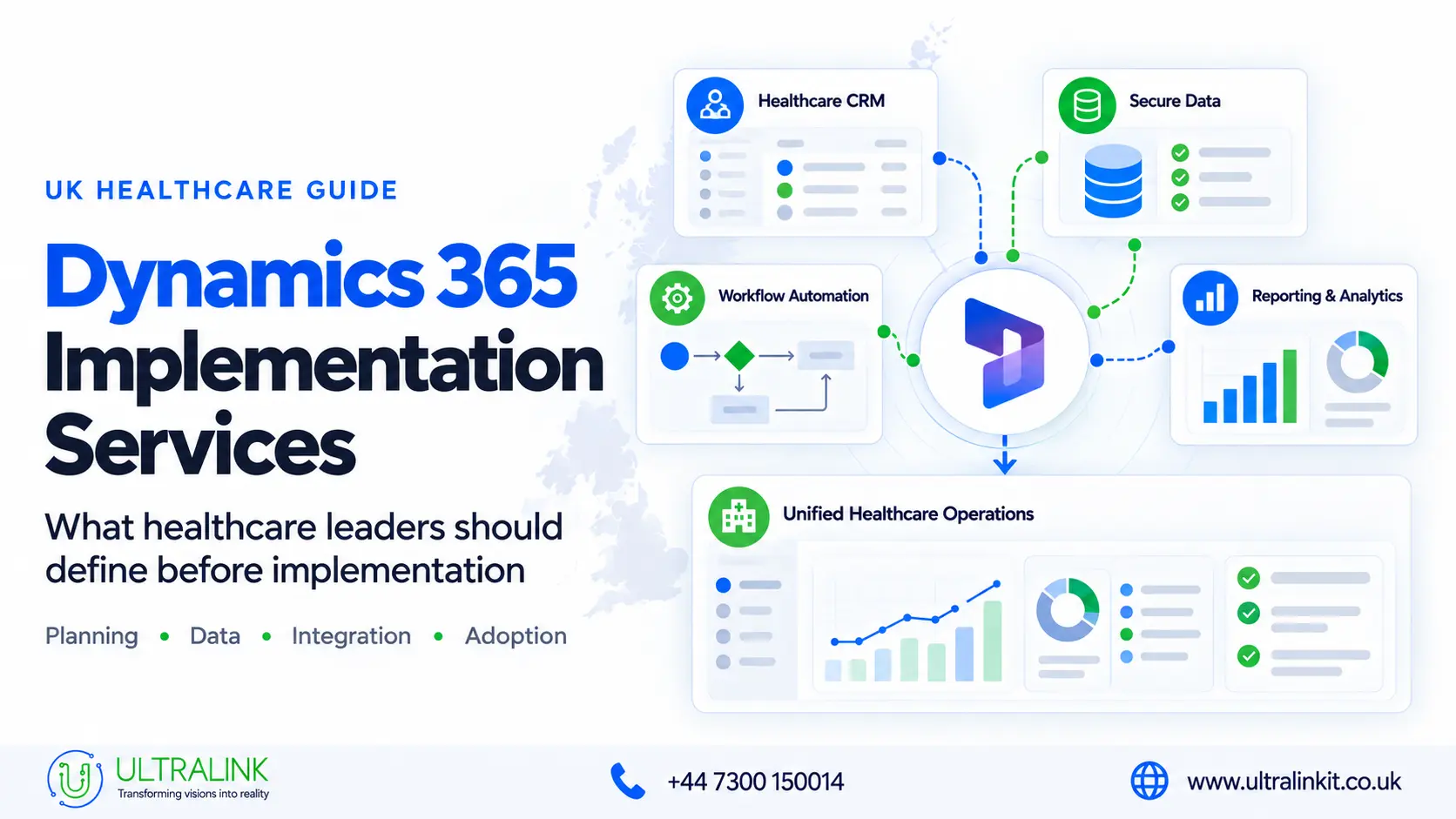
If you are considering Microsoft Dynamics 365 for your healthcare organisation, you may already recognise the problem you want it to solve.
Perhaps patient enquiries are spread across shared inboxes. Referrals are difficult to track. Teams cannot see whether a follow-up has been completed. Reports take too long to prepare because information sits across several systems.
Dynamics 365 can help address these issues, but only when it is configured around the way your organisation actually works.
Our Dynamics 365 implementation services help UK healthcare and pharmaceutical organisations define their requirements, configure the right applications, connect existing systems and prepare users for deployment.
In this guide, we explain what implementation involves, what affects cost and timelines, and what to consider before choosing a Dynamics 365 implementation partner.
What Are Dynamics 365 Implementation Services?
Dynamics 365 implementation services cover the work required to plan, configure, test and introduce Microsoft Dynamics 365 within your organisation.
.webp)
Depending on your requirements, this may include:
- Workflow discovery and solution planning
- Dynamics 365 application selection
- CRM configuration
- Data migration
- System integration
- Workflow automation
- Permissions and security roles
- Reporting and dashboards
- User testing and training
- Post-launch support
The right scope depends on the problem you are trying to solve.
For example, a private healthcare provider may need better control over enquiries, referrals and follow-ups. A pharmaceutical organisation may need to manage business accounts, stakeholder communication or supply-chain workflows.
That is why implementation should begin with your processes not with a licence list or a demonstration of every available feature.
Microsoft structures its Dynamics 365 implementation guidance around five stages: strategise, initiate, implement, prepare and operate. This also makes it clear that a successful implementation continues beyond technical configuration and go-live.
Source: Microsoft Dynamics 365 Implementation Guide
Is Dynamics 365 Relevant to Your Healthcare Organisation?
Think about how your teams currently manage enquiries, referrals, appointments, communications and follow-ups.
Can they easily answer these questions?
- Who is responsible for this enquiry?
- When was the patient or stakeholder last contacted?
- Is a follow-up overdue?
- Has another team already responded?
- Which record contains the latest information?
- How many cases are waiting for action?
If the answers are spread across spreadsheets, inboxes and separate systems, the main issue may not be a lack of information. It may be that the information is not connected in a way that supports the workflow.
A properly configured Dynamics 365 environment can help you:
- Centralise relevant interactions
- Assign work to the correct person or team
- Track enquiries and follow-ups
- Reduce repeated administration
- Improve visibility between departments
- Automate selected tasks
- Create more useful operational reports
However, not every piece of healthcare information should be moved into Dynamics 365. Clinical records and treatment decisions may need to remain in the appropriate clinical system.
During implementation, we help you decide which system should own each type of information and what Dynamics 365 genuinely needs to store, display or update.
If your main requirement is to improve enquiries, referrals and relationship management, see our healthcare CRM solutions.
If you are looking at finance, procurement, inventory or pharmaceutical supply processes, our healthcare ERP solutions may be more relevant.
Which Dynamics 365 Applications Do You Need?
Dynamics 365 is a collection of applications rather than one fixed healthcare product. You may need one application, or a combination of several.
Dynamics 365 Sales
Dynamics 365 Sales can support:
- Business development
- Healthcare partnerships
- Referral-source relationships
- Pharmaceutical and MedTech accounts
- Opportunity and contract tracking
- Communication history
The system should use language and workflows that fit your organisation. A generic sales pipeline is not always appropriate for healthcare relationships.
Dynamics 365 Customer Service
Customer Service may be useful if you need to manage:
- Patient or customer enquiries
- Complaints and feedback
- Service requests
- Case allocation
- Escalations
- Communication records
- Response times
The implementation must clearly separate administrative service information from anything that belongs in the clinical record.
Dynamics 365 Field Service
Field Service may support organisations responsible for:
- Medical-device servicing
- Equipment installation
- Engineer visits
- Planned maintenance
- Parts and resources
- Field-team scheduling
Dynamics 365 Business Central, Finance or Supply Chain
These applications may support:
- Finance
- Procurement
- Inventory
- Warehousing
- Supplier management
- Pharmaceutical distribution
- Operational planning
You do not need to decide this alone before speaking with an implementation partner. Application selection should form part of discovery, once the required workflows and users are understood.
What Should You Define Before Implementation?
Before anyone starts configuring the system, four areas need to be clear.
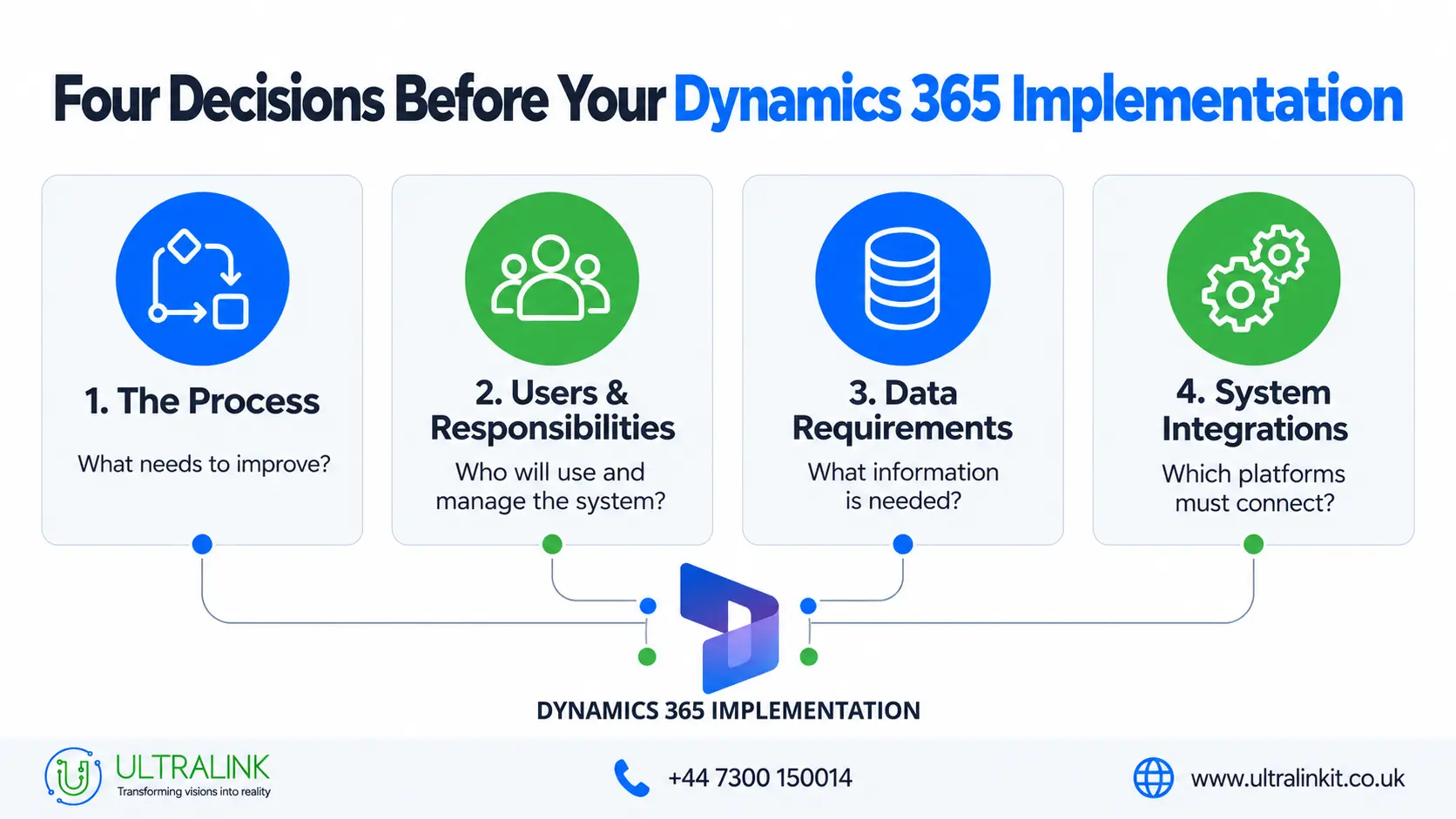
1. What are you trying to improve?
“We need a better CRM” is understandable, but it is not yet a project scope.
A more useful starting point might be:
- Enquiries are not consistently assigned
- Referral follow-ups are being missed
- The same information is entered into several systems
- Management cannot see outstanding work
- Reports depend on manual spreadsheet updates
- Teams cannot view previous communication
Once the operational problem is specific, it becomes easier to decide what Dynamics 365 needs to do and how success should be measured.
2. Who will use and manage the system?
Identify who will:
- Use Dynamics 365 each day
- Manage or approve work
- Administer the environment
- Own the data
- Review information-governance requirements
- Support integrations
- Handle post-launch issues
These roles affect permissions, forms, dashboards, testing and training.
3. What data does the system need?
It is tempting to move every historic record into a new system. That is not always the right decision.
Before migration, ask:
- Which information is still operationally useful?
- Which system should remain the authoritative source?
- Which records must be retained?
- What can be archived?
- Are there duplicate or incomplete records?
- Who should be able to view, edit or export the information?
Moving poor-quality data into Dynamics 365 does not improve it. It simply gives the same data a new location.
4. Which systems must Dynamics 365 connect with?
You may need to connect Dynamics 365 with:
- Electronic health record systems
- Practice-management software
- Patient portals
- Website enquiry forms
- Microsoft 365
- Outlook and Teams
- Power BI
- Finance systems
- Telephony or messaging platforms
It is also important to discuss what happens when an integration fails.
How will your team know that information did not transfer? Who will investigate it? Can failed transactions be recovered without creating duplicate records?
Our AI and system integration services can help connect Dynamics 365 with Microsoft platforms, healthcare software and other operational systems.
How We Approach Dynamics 365 Implementation
Every project has different requirements, but the delivery process normally follows several clear stages.
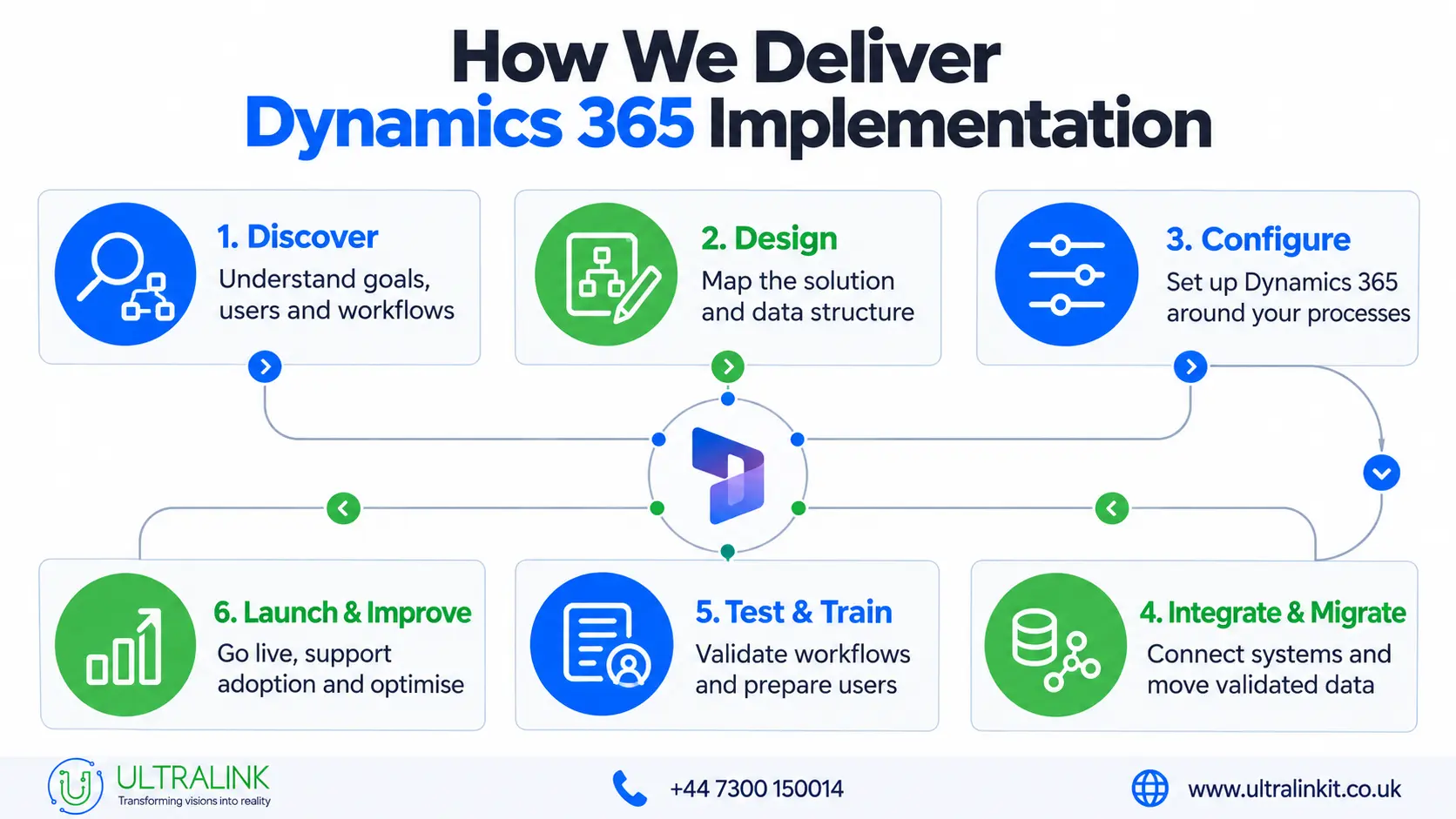
Discovery and workflow assessment
We start by reviewing your current workflows, systems, users, data and reporting requirements.
The purpose is to understand:
- Where work currently slows down
- Which steps are manual
- Where ownership becomes unclear
- What information users need
- Which systems are involved
- What the new process should achieve
This gives both teams an agreed scope before configuration begins.
Solution design
We then define how the environment should work, including:
- Dynamics 365 applications
- Data structure
- Workflows
- User roles
- Permissions
- Integrations
- Reports
- Testing
- Support responsibilities
At this stage, we also decide which requirements can be met through standard configuration, and which genuinely require additional development.
Configuration, migration and integration
We configure the agreed forms, fields, workflows, roles, dashboards and notifications.
Where data needs to be migrated, we map and test it before the final move. Where systems need to connect, we test successful transfers as well as failure scenarios.
We do not recommend recreating every feature of an existing system without questioning whether it is still required. Unnecessary customisation can increase cost, testing and long-term maintenance.
Testing and rollout
Before go-live, the system should be tested using realistic workflows.
Testing may include:
- Functional testing
- End-to-end workflow testing
- Integration testing
- Permission testing
- Data validation
- Reporting checks
- User acceptance testing
- Failure scenarios
Where appropriate, we can begin with one team or priority workflow. This gives users an opportunity to provide feedback before the system is extended more widely.
Post-launch support
After deployment, teams may need help with:
- User questions
- Integration monitoring
- Workflow changes
- Permissions
- Reports
- Platform updates
- Further training
For this reason, the support model should be agreed before go-live, not after the first issue appears.
An Important Microsoft Healthcare Update for October 2026
Microsoft is changing how certain healthcare application templates are delivered through Power Platform.
From 1 October 2026, only existing customers can deploy the current Microsoft-managed healthcare solution through the existing process. New customers are directed to a downloadable package for customer-managed or partner-managed implementation.
Microsoft has also stated that support for the current Microsoft-managed healthcare application templates will end on 31 December 2027.
This does not mean Dynamics 365 is no longer available for healthcare. It means the delivery model, ownership and ongoing maintenance need to be checked against Microsoft’s current guidance before your project begins.
Source: Deploy and Configure Microsoft for Healthcare
Licensing should also be reviewed against your planned solution. Some healthcare capabilities depend on other Microsoft applications or services that may require additional licences.
Source: Microsoft for Healthcare Licensing
How Much Does Dynamics 365 Implementation Cost?
There is no standard price for Dynamics 365 implementation services because the scope can vary considerably.
Cost is usually affected by:
- Applications and licences
- Number and type of users
- Workflows being configured
- Data volume and quality
- Migration requirements
- Integrations
- Custom development
- Reports and dashboards
- Testing and training
- Governance requirements
- Ongoing support
A focused implementation for one team will cost less than a multi-department programme involving historic data, several integrations and custom workflows.
We recommend completing requirements discovery before producing a detailed estimate. This helps separate what is essential from what can be delivered later and reduces the chance of important work appearing as an unexpected cost.
How Long Does Implementation Take?
The timeline depends on the scope, data and number of systems involved.
It can also be affected by:
- Stakeholder availability
- Data quality
- Integration complexity
- Custom development
- Governance reviews
- User testing
- Training
- Procurement
A focused project can usually move faster than an organisation-wide programme. For larger requirements, a phased rollout may be more practical.
Your implementation plan should clearly show the stages, dependencies, testing periods, responsibilities and any factors that could change the schedule.
How Do You Choose the Right Implementation Partner?
Before selecting a provider, ask questions that reveal how they will approach your actual environment:
- How will you understand and document our workflows?
- Which Dynamics 365 applications do we need, and why?
- What can be delivered through standard configuration?
- Where is custom development required?
- How will our data be cleaned and validated?
- How will integration failures be monitored?
- How will permissions be designed and tested?
- How will our users participate in testing?
- What documentation and training will we receive?
- What happens after go-live?
- How are scope changes managed?
- How will we measure whether the implementation worked?
Be cautious if a provider offers a final solution and fixed plan before understanding your workflows, data and systems.
If you already have an internal project team but need additional technical capacity, we also provide Dynamics 365 developers and consultants for defined project requirements.
How Will You Know the Implementation Has Worked?
The answer should connect directly to the original problem.
Depending on your objectives, you might measure:
- Duplicate data entry
- Unassigned enquiries or referrals
- Response times
- Missed follow-ups
- Manual hand-offs
- Record completeness
- Time required to produce reports
- User adoption
- Workflow exceptions
- Integration failures
Login numbers alone do not tell you whether a process has improved.
Where possible, record the current position before implementation. This gives you a baseline against which you can assess the new workflow.
Planning a Dynamics 365 Implementation?
At Ultralink, we help UK healthcare and pharmaceutical organisations plan and implement Dynamics 365 around their operational requirements.
Our Dynamics 365 services for healthcare include:
- Workflow discovery
- CRM configuration
- Data migration
- System integration
- Power Platform automation
- Reports and dashboards
- Security-role configuration
- Testing and user validation
- Training
- Ongoing support
If you are currently assessing Dynamics 365, start with the process you want to improve, the systems involved and the information your teams need.
We can help you turn those requirements into a practical implementation plan.